ratudewiAndroid & iOS App
Mobile-first access to ratudewi gives you live football markets, live-dealer tables, slots, and esports from your phone or tablet. Whether you prefer an Android APK, iOS browser, or web app, we offer multiple installation paths so you can choose the method that fits your device and workflow.
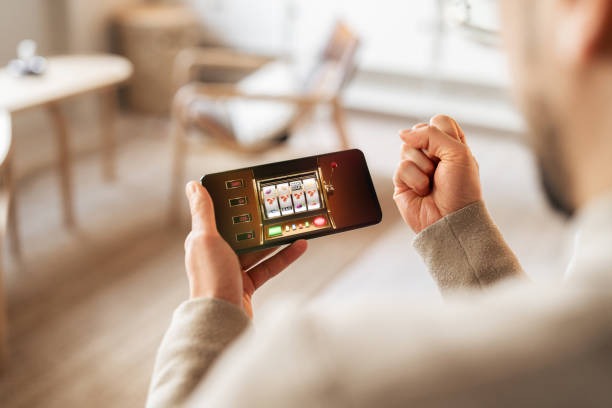
- StartFirst Game
- LoginOTP Verification
- SHA256 Match
Our mobile experience on ratudewi is built to handle fast settlement updates during Liga 1 and Piala AFF matches, real-time live-dealer game streams, and subject to verification via DANA, e-wallet, mobile banking, local payment, and bank virtual accounts. The app syncs your account across all devices, so your balance, transaction history, and game positions are always current.
This guide explains how to download and install ratudewi on Android and iOS, what to expect during setup, and how the app compares to the web browser experience.
Installation options for ratudewi
We at ratudewi provide three ways to access our platform on mobile:
Android APK
Download and install ratudewi directly on Android 7 or later. Full offline caching and push notifications included.
Get Android APKiOS Web App
Add ratudewi to your home screen on iOS 12 or later. Works as a web app with fast load times and account syncing.
iOS InstructionsWeb Browser
Use Safari, Chrome, or Firefox on any phone. No installation needed; visit ratudewi.bet directly.
Open in Browser
How to install and start on ratudewi
Follow these steps to set up ratudewi on your mobile device:
-
Download the app
For Android, visit the download link and allow installation from unknown sources in your device settings. For iOS, open ratudewi.bet in Safari and add to home screen.
-
Register or sign in
Create a new ratudewi account or sign in if you already have one. Provide your email, username, password, and mobile number.
-
Complete KYC verification
Upload a government ID and proof of address. ratudewi will review these documents; verification typically takes one business day.
-
Deposit and start
Fund your ratudewi account via DANA, e-wallet, mobile banking, local payment, online payment, e-wallet, or a bank virtual account. Browse football, live-dealer, or slot markets and begin.
Two-factor authentication on ratudewi
We recommend enabling 2FA on your ratudewi account after registration. You will receive a code via email or SMS when you sign in from a new device.
App versus browser: what you gain with ratudewi on mobile
The native Android app on ratudewi offers several advantages over the mobile web browser: offline match data and game rules are cached locally, so you can view historical odds and game descriptions even without an internet connection. Push notifications alert you to live match updates, settlement confirmations, and withdrawal status changes in real time. The app loads faster than the browser because it does not reload the entire page each time you switch between football, live-dealer, or slot sections. Finally, the app integrates with your phone's password manager, making sign-in faster and more secure.
The iOS web app and mobile browser versions of ratudewi are equally fast for live betting and withdrawal, but they do not support offline caching or push notifications. If you access ratudewi via browser on iOS, Safari will prompt you to add the site to your home screen; this creates a shortcut that opens ratudewi in full-screen mode, hiding the browser toolbar and improving the user experience. All three access methods—Android APK, iOS web app, and browser—share the same ratudewi account, so your balance and game history are always synced.
Device requirements for ratudewi
The ratudewi Android app requires Android 7 or later and at least 100 MB of free storage. We support phones and tablets with screen sizes from 4 inches to 10 inches; the interface adjusts automatically. The iOS web app works on iPhone and iPad running iOS 12 or later. All recent versions of Chrome, Firefox, Safari, and Edge browsers on Android and iOS are supported. If your device is older or runs an unsupported OS version, you can still access ratudewi via the mobile web browser at ratudewi.bet, though you will not receive push notifications.

Troubleshooting common installation issues on ratudewi
If you encounter "Installation blocked" on Android, check that you have enabled "Install from unknown sources" in your device's Security settings. Go to Settings > Security > Unknown sources and toggle it on, then retry the download. For iOS users, if "Add to Home Screen" does not appear in Safari, ensure you are using Safari (not Chrome) and that ratudewi.bet loads fully before tapping the share button. On rare occasions, your browser cache may prevent the app from loading; try clearing your browser history and cookies, then reload ratudewi.bet. If the app crashes on startup, uninstall it, restart your phone, and reinstall. Crashes are typically caused by insufficient storage or conflicting apps. If you still encounter issues, contact our support team via the help section inside the app or from ratudewi.bet.
Data, permissions, and account security on ratudewi
The ratudewi Android app requests permission to send push notifications and to access your device's internet connection. We do not request access to your camera, microphone, location, or contacts. All communication between your phone and ratudewi servers is encrypted with TLS 1.2 or higher. Your login credentials are stored securely in your phone's credential storage and are never logged or transmitted in plaintext. When you sign in on a new device, ratudewi will prompt you for two-factor authentication to prevent unauthorized access. If you lose your phone, you can sign in to ratudewi from another device, change your password, and disable two-factor authentication from your account settings. Your transaction history, game records, and KYC documents are retained on ratudewi servers with full encryption. We comply with data-protection laws in jurisdictions where we operate, and we do not sell your personal data.
ratudewi on mobile gives you the same account, settlement speed, and payment options as the web platform—with the added convenience of offline match data and push notifications.
Getting started with ratudewi on your phone
We at ratudewi offer multiple mobile access paths to fit your device and preferences. Whether you choose the Android APK, iOS web app, or mobile browser, you get the same live football markets, live-dealer tables, slots, and esports access. Setup takes just a few minutes: download (or open in browser), register, complete KYC, and deposit via your preferred payment method (mobile banking, local payment, online payment, e-wallet, or bank virtual account). Once your account is verified, you can start participating in Liga 1, Piala AFF, Champions League markets, or try our live roulette, blackjack, and Aviator games.
If you have questions about app installation, device compatibility, or account setup on ratudewi, check our FAQ or contact support. We are here to help you get the most from ratudewi on mobile.